VRA / VRO Unexpected status code: 503
When using a vRealize Automation appliance with integrated vRealize Orchestrator, it can sometimes happen that the orchestrator is not responding well to the automation server. We encountered this problem when we updated vCenter and had to reboot the automation servers. After rebooting the vRealize Automation appliance, the IaaS host and the Powershell host, we received errors trying to deploy new virtual machines.
The error stated:
The following component requests failed: RHEL. Request failed: <vmname>: sendEBSMessage(workflow=cd13883a-b4c1-4474-9300-5618da1445dd) Error in state CloneWorkflow.CloneMachine phase PRE event (queue = d883059f-322f-4488-b38b-db92fc7db045): Extensibility consumer error(20999) - com.vmware.vim.vmomi.client.common.UnexpectedStatusCodeException: Unexpected status code: 503, <vmname>: sendEBSMessage19(workflow=e3572403-9ee1-43db-9010-b3afa6bc9ac2) Error in state VMPSMasterWorkflow32.MachineProvisioned phase PRE event (queue = e040d607-dc01-421c-acea-76a9cddf3385): Extensibility consumer error(20999) - com.vmware.vim.vmomi.client.common.UnexpectedStatusCodeException: Unexpected status code: 503, and <vmname>: sendEBSMessage23(workflow=e3572403-9ee1-43db-9010-b3afa6bc9ac2) Error in state VMPSMasterWorkflow32.Disposing phase PRE event (queue = 630d75c1-89ca-42a8-a11a-05c2f64d6a10): Extensibility consumer error(20999) - com.vmware.vim.vmomi.client.common.UnexpectedStatusCodeException: Unexpected status code: 503.
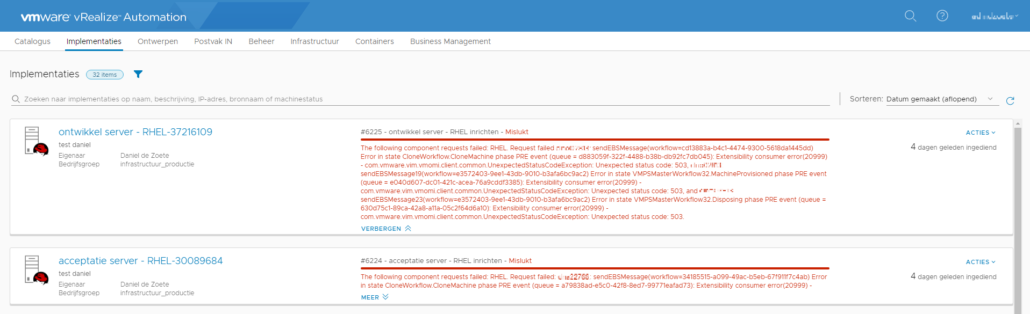
503 in web terms means “The service is unavailable”. So we know it has to do with a workflow and an unavailable service, which leads us to a problem with the orchestrator. But as everything was freshly booted and everything had worked before the reboot, this was a strange error.
Eventually after some searching the problem had to do with VRO booting before VRA was finished booting. This was simply solved by rebooting VRO yet again. And because VRO is integrated in the VRA appliance, we can use the VAMI of the VRA appliance to reboot VRO.
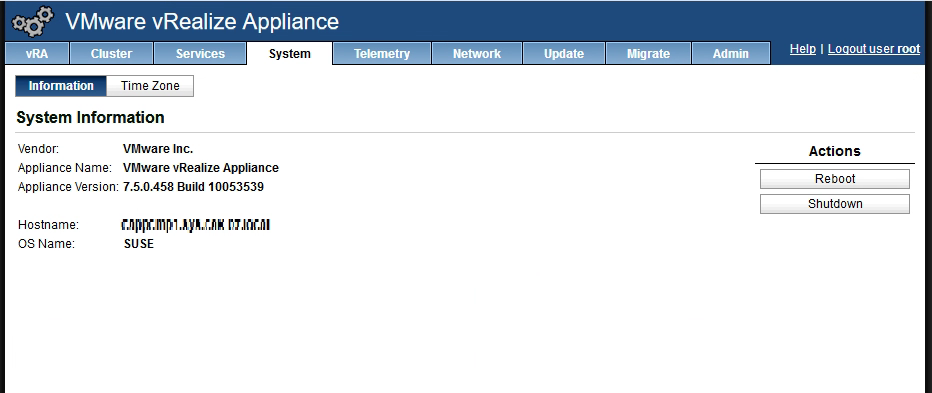
Do not use System –> Reboot, as this will reboot the entire appliance (VRA and VRO).
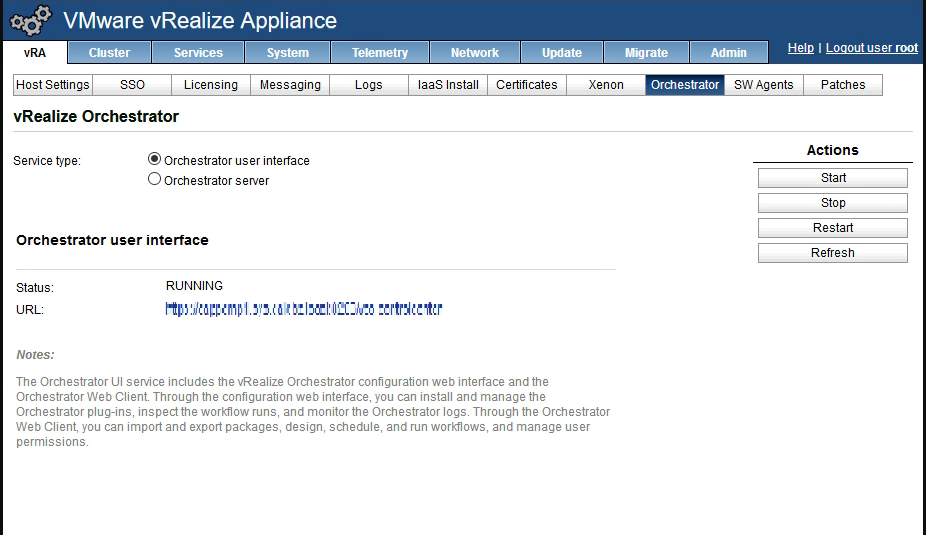
To only reboot VRO go to vRA –> Orchstrator –> Restart.

Started his working life as a system manager at a health care organization. Is now a dedicated technical consultant at PepperByte. Specialist in virtualization and security.
Core qualities
Eager to learn, punctual, fun, loyal, patient
Hobbies
Socializing, watching television series and sports
Job description
Technical Consultant
Leave a Reply
Want to join the discussion?Feel free to contribute!