Getting rid of IOS Apps in Intune
When your Intune instance is coupled with Apple Business Manger (ABM) you can use the Volume Purchase Program (VPP). This is ideal for buying and distributing applications to your IOS devices in Intune. Unfortunately when you have no longer use for an installed application and you want to get rid of it, the process is all but intuitive and can cause a lot of frustration.
When you add a new application to your store, you go into ABM and add the app to your Apps and Books. The chosen apps will be synced to Intune, where you can assign them to users or devices. So when you want to delete an app you would think the process is reversed and you would go to ABM and delete the selected app. However there is no option to delete apps in ABM.

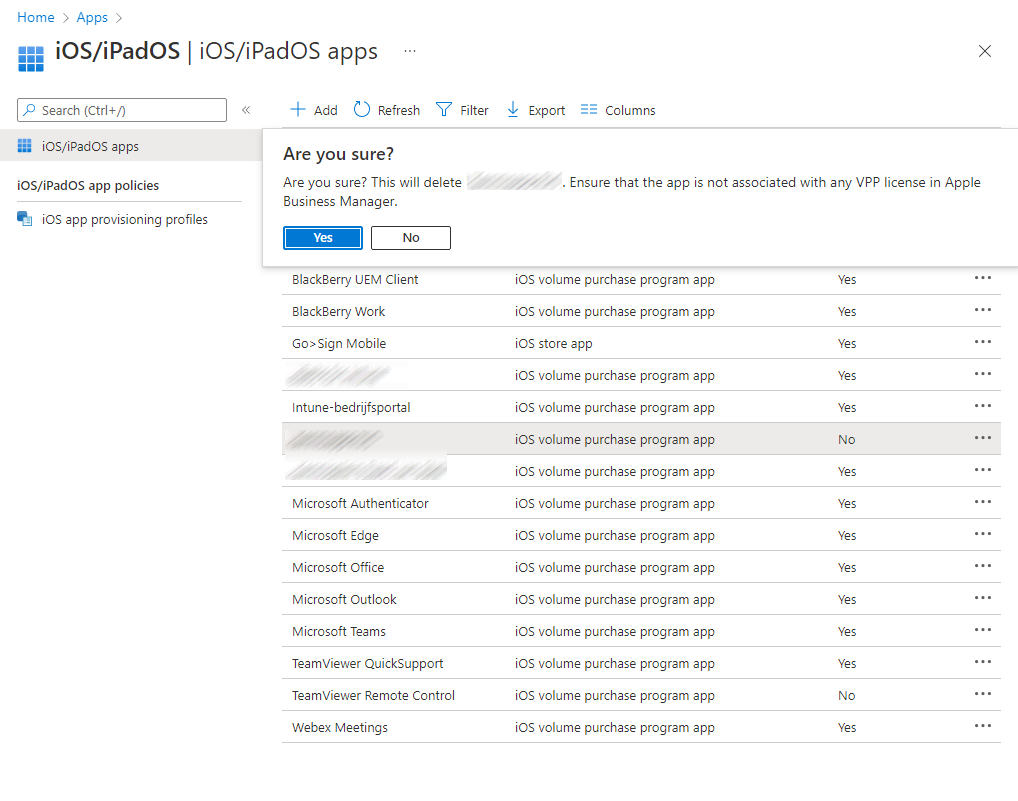
And when you try to delete the application in Intune you get warnings and errors.

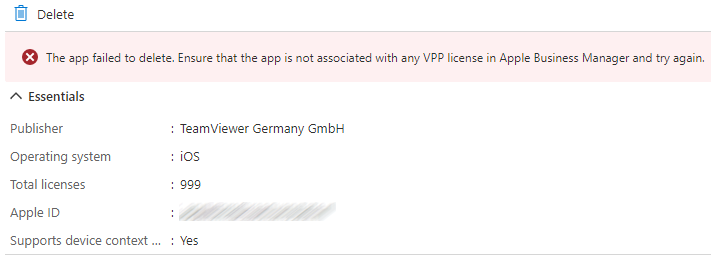
So how to get rid of the apps in Intune you have no longer need for!?
The first step is optional, but is recommended. And that is removing the application from the devices (just add an uninstall group in Intune), so that the “in use” licenses in ABM will drop to zero.

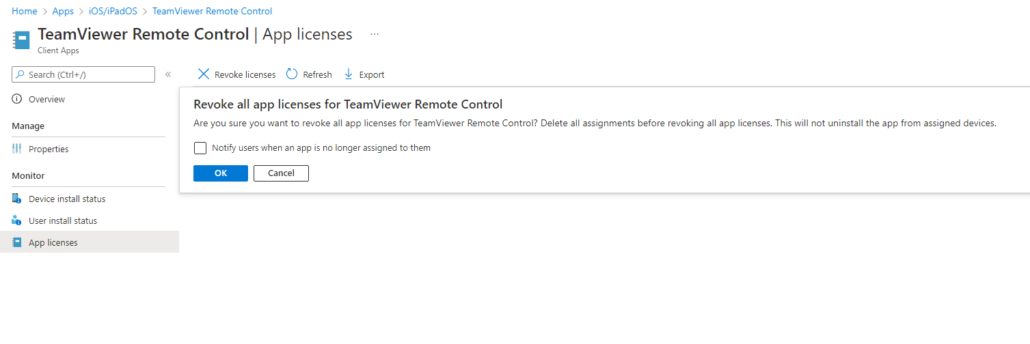
After the licenses in ABM are at zero, go to Intune and then to “Assigned licenses” in the selected app. Click here on the “Revoke licenses”, so that there are no assignments left.
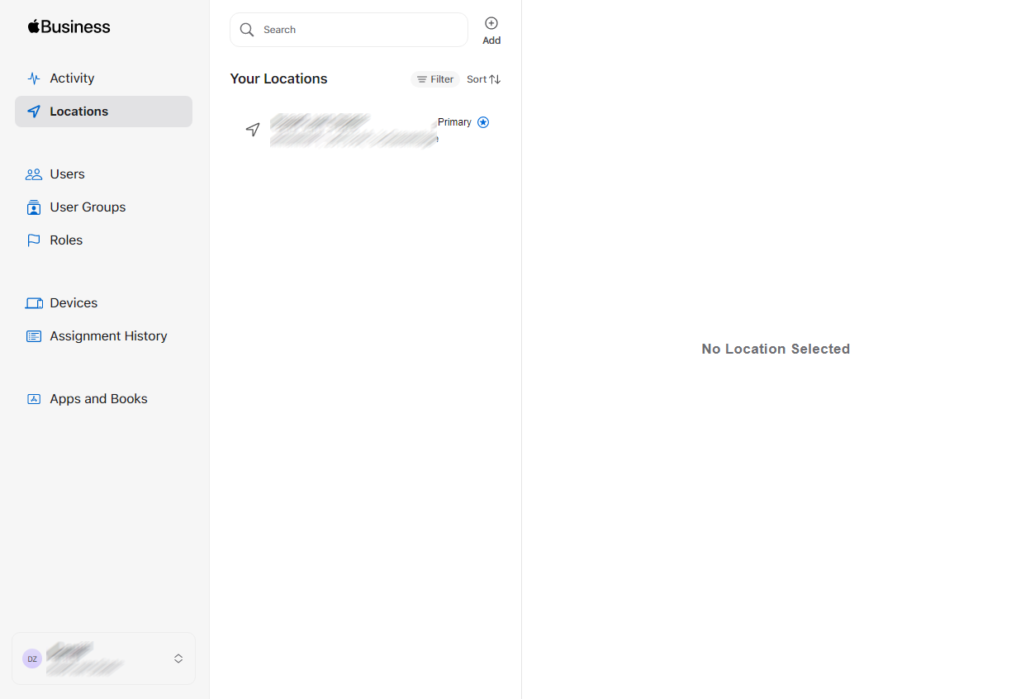
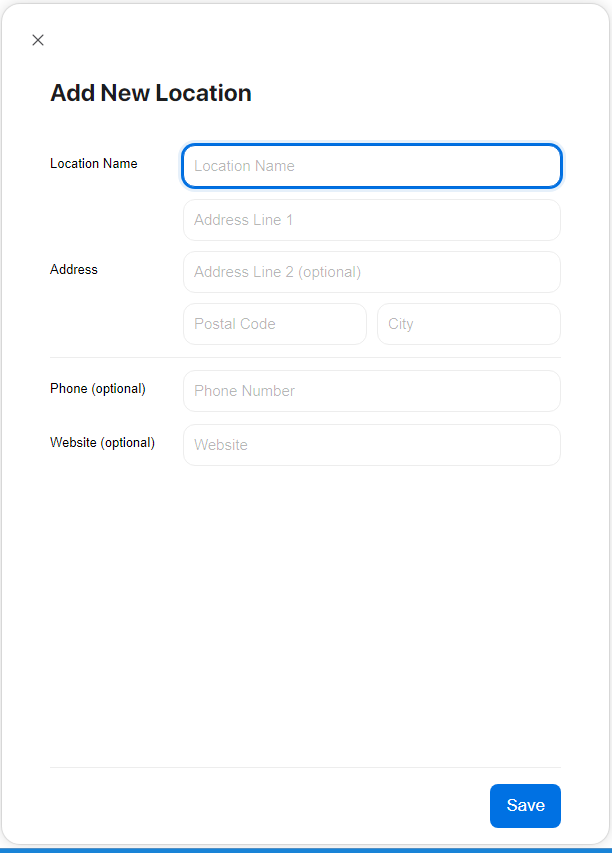
Now the next step is an odd one, but necessary as there is no possibility to delete apps in ABM. In ABM go to locations and add a fake location. I called mine BlackHole because of its purpose.
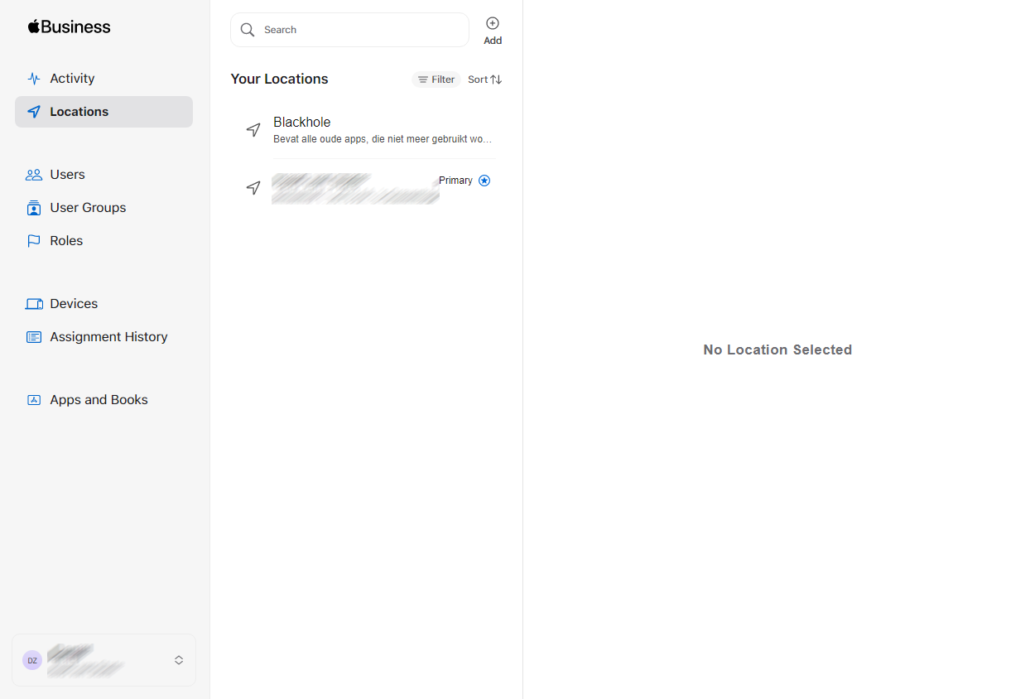
Now go to App and Books and select the app you want to delete in Intune. After the license count there now should be a Transfer link (if not, you need to logout and login again). Click on the transfer link select de new location and hit transfer.

Because of this action, there will no longer be any licenses coupled with the location that is uses with MDM. The only thing left to do is sync ABM and Intune, so both systems know that there are no licenses in use anywhere.
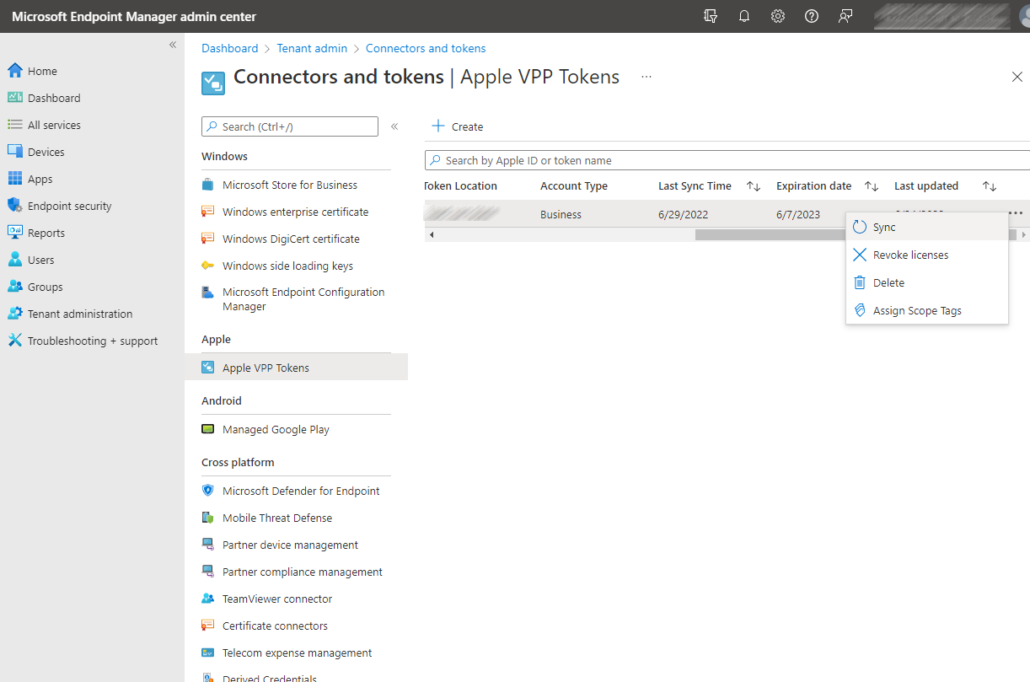
After all these steps you can finally remove the application from Intune

Started his working life as a system manager at a health care organization. Is now a dedicated technical consultant at PepperByte. Specialist in virtualization and security.
Core qualities
Eager to learn, punctual, fun, loyal, patient
Hobbies
Socializing, watching television series and sports
Job description
Technical Consultant
Leave a Reply
Want to join the discussion?Feel free to contribute!