Set-MsolDomainAuthentication : You cannot remove this domain as the default domain without replacing it with another default domain
I was asked by a customer of us to add an SSO integration between Google and Azure. One of the steps is to change the authentication type of the domain from Managed to Federated.
The command to change the authentication type is:
Set-MsolDomainAuthentication. After running the command you can receive the following message which is a bit unclear, as it seems that we want to remove the domain, which obviously is not the case here.
Set-MsolDomainAuthentication : You cannot remove this domain as the default domain without replacing it with another de
fault domain. Use the the Set-MsolDomain cmdlet to set another domain as the default domain before you delete this domain.
At line:1 char:2
Set-MsolDomainAuthentication `
~~~~~~CategoryInfo : OperationStopped: (:) [Set-MsolDomainAuthentication], MicrosoftOnlineException
FullyQualifiedErrorId : Microsoft.Online.Administration.Automation.DefaultDomainUnsetException,Microsoft.Online.
Administration.Automation.SetDomainAuthentication
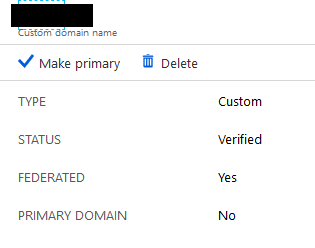
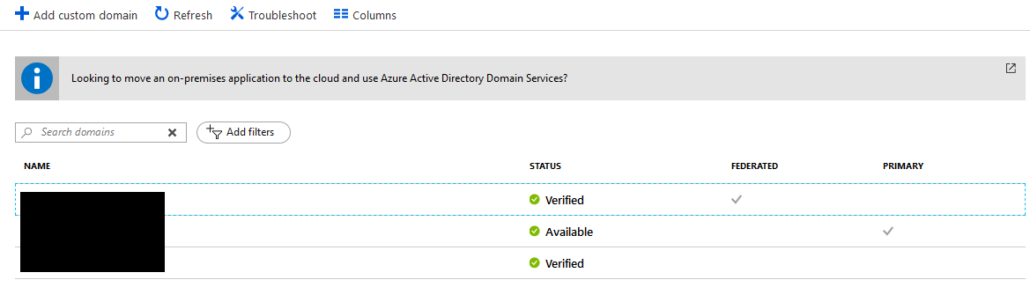
After some research, it’s not possible to have a domain federated to another security provider if this domain is the Primary domain. So you have to switch the Primary domain to another domain (i.e. tenant.onmicrosoft.com) and then rerun the Set-MsolDomainAuthentication command. Running the Get-MsolDomainFederationSettings -DomainName domainname will result in the key settings for the federated domain.

Is interested in everything connected to technology. Has a passion for cloud, virtualization and software development. Always finds appropriate IT solutions for customers that match their needs strategically, technically and financially.
Core qualities
Quick thinker, result driven, ambitious, customer-friendly, enthusiastic
Hobbies
Running, listening to music, good food and doing fun things with family
Job description
CTO PepperByte, LoadGen, and BlueParq
Leave a Reply
Want to join the discussion?Feel free to contribute!