Packaging Office Apps: Something went wrong (30016-7)
Packaging Office applications like Project and Visio using the App-V 5.1 packager is no longer an option. You have to use the Office Deployment Tool to create a package. This tool is made up of a singe setup.exe and a configuration.xml file. You have to edit the xml file to download the software (not optional, you can’t use the installation files from an iso) and then use the same setup to create the package. I won’t go into details, that’s widely available on the internet already.
In my environment I couldn’t get his to work. I got this error:
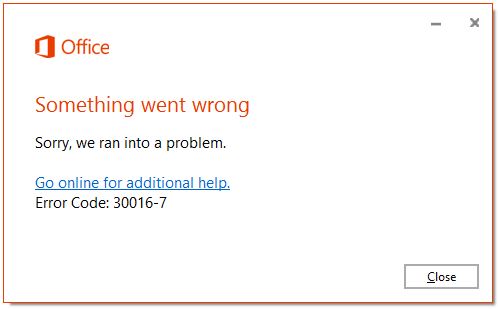
Online help wasn’t helpful at all. Until I found a blogpost by an Italian MVP called Nicola Ferrini. Since it was hard to find and in Italian I thought I’d share his findings and present my solution to the problem. The issue turned out to be an oldie: the path to certain files was over 260 characters! ODT unpacks the downloaded office files in the Temp directory and because my username was over eight characters the whole thing fell apart.
Nicola’s solution was to log in with a different username but that’s not the most practical solution. The easiest solution is to temporarily change the location of the Temp environment variable. You have to run ODT from the command-line anyway so before you do run the following command:
set temp=c:\temp
This will make sure that in your current command session the temp variable is set to c:\temp (make sure it exists).
A final tip for packaging Office apps: make sure there’s no Office installed on your package machine.

Is an all-round IT engineer with special skills in Microsoft, Citrix, RES and VMware products. Loves a challenge in his work and has taught himself scripting. Initially batch scripts, and later PowerShell. This helps him to automate processes and procedures, and to develop his own management tools which can be used every day.
Core qualities
Team player, enthusiastic, eager to learn, sociable, positive
Hobbies
Football, playing music, watching movies and series
Job description
Senior Technical Specialist
Leave a Reply
Want to join the discussion?Feel free to contribute!